Use urgency only when inventory supports it
Low-stock messaging should be honest, configurable, and easy to test. Merchants can choose broad visibility or threshold-based display.
 NotifyStock
 Designed for Shopify storefronts
Display low-stock messages when inventory gets low and help merchants act before popular products sell through.
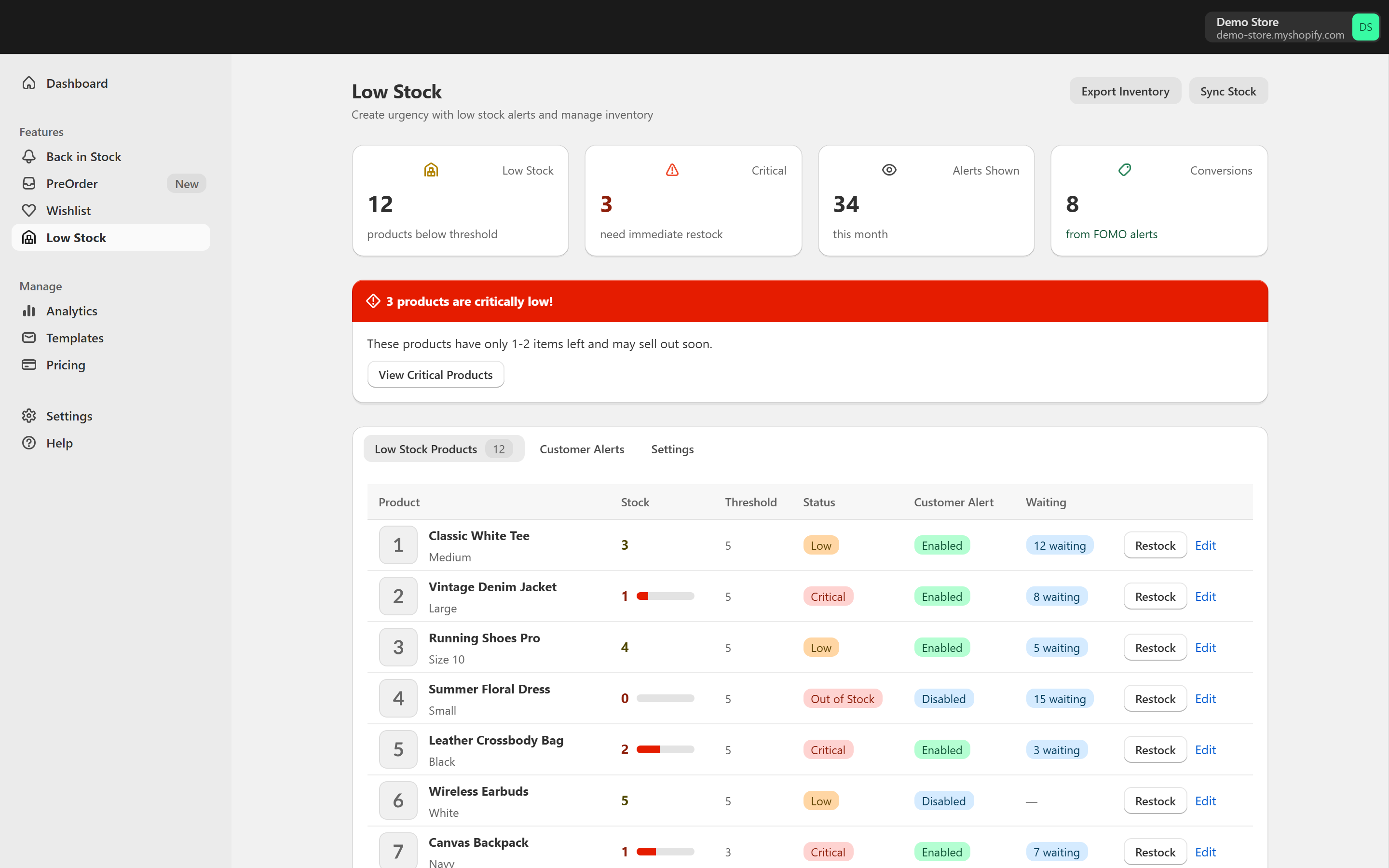
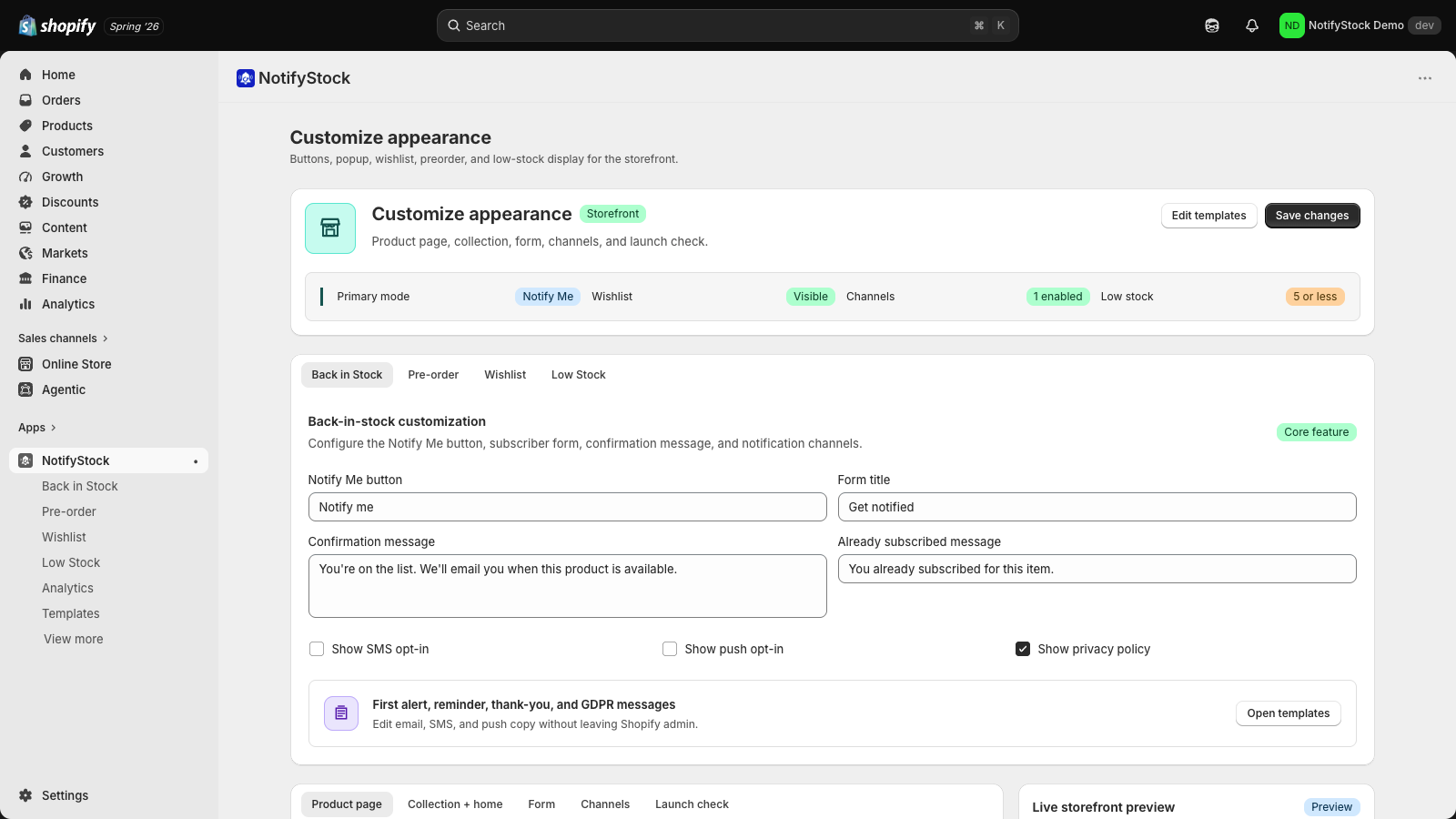
Each feature page explains what merchants can configure, test, and review without stretching beyond current app behavior.
Low Stock should not be manufactured scarcity. NotifyStock keeps the message tied to threshold rules, remaining quantity variables, and reviewable merchant settings.
Low-stock messaging should be honest, configurable, and easy to test. Merchants can choose broad visibility or threshold-based display.
Configuration pages give merchants a way to review when the message appears, which products are included, and how merchant alerts are handled.
Low-stock workflows are not only customer-facing. They also help merchants review inventory pressure and act before the item becomes a restock problem.
The Low Stock workflow now focuses on thresholds, remaining quantity copy, merchant alerts, and grammar-safe storefront messaging before scaling the signal.
Choose broad in-stock display or show messages below a configured quantity.
Use remaining quantity variables and grammar-safe product copy.
Review products that need attention before they become restock problems.
Test icon, wording, and product-page placement before scaling.
Low-stock messaging should only create urgency when inventory and threshold settings justify it.
The merchant-facing alert side matters as much as the shopper-facing urgency copy.
Short, review-safe answers for this feature.
Yes. Low-stock copy can include a remaining quantity variable and should handle singular and plural wording correctly.
Merchants can choose broad visibility or only show the message when inventory drops below a configured threshold.
Merchants can start with one workflow and add the others as catalog and notification needs grow.
Capture shopper interest on sold-out products, track demand by product and variant, and follow up when inventory returns.
Explore Back in StockCreate clear coming-soon and preorder reservation flows with availability copy, offer rules, customer confirmations, and admin tracking.
Explore PreOrderLet shoppers save products for later while merchants track wishlist demand, saved products, and follow-up opportunities.
Explore WishlistReview pricing, compare feature pages, or contact support if you need help with setup details.