Make sold-out products useful instead of dead ends
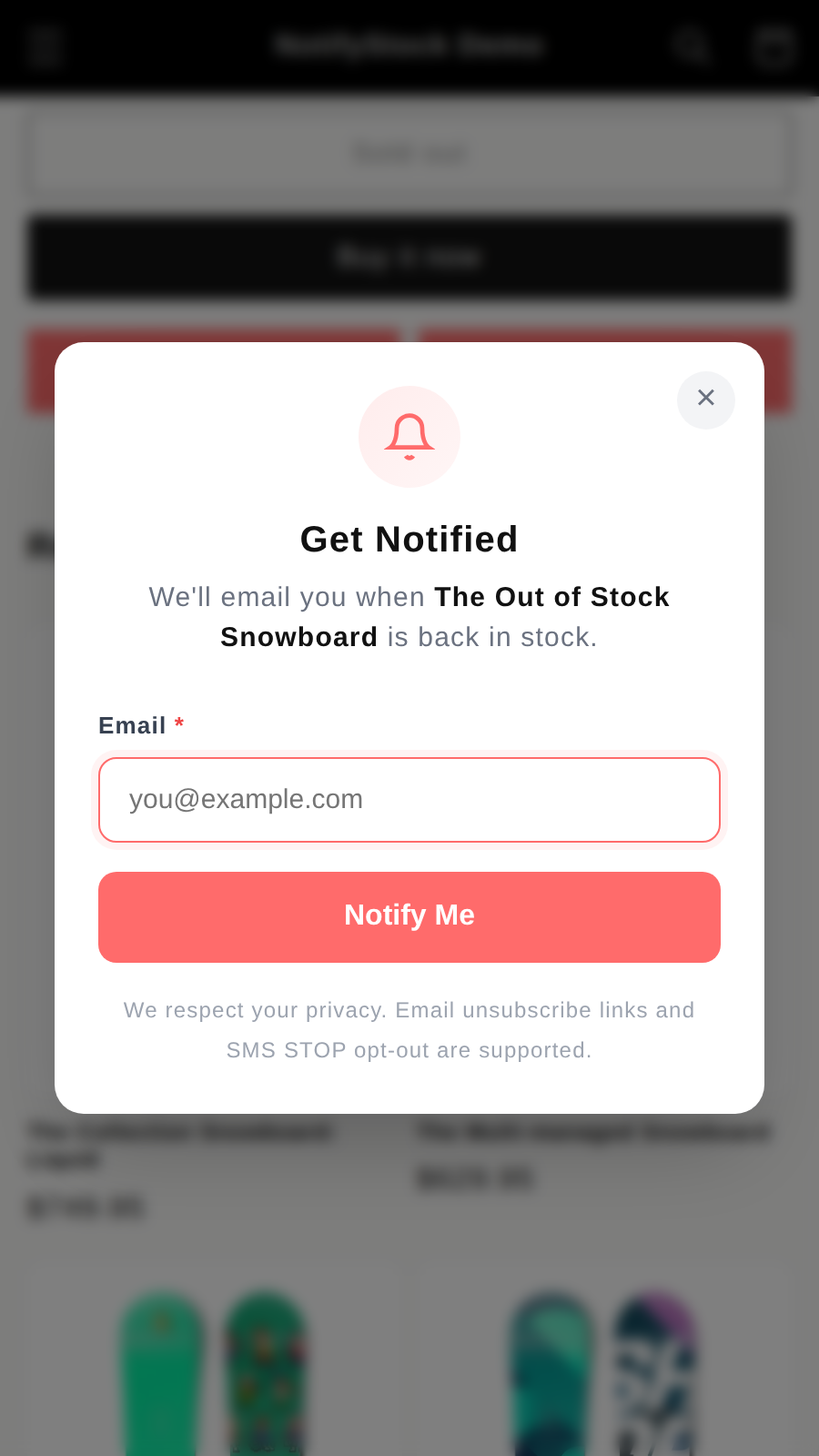
The storefront button gives shoppers a clear next step when a variant is unavailable. The form captures contact intent while keeping privacy and opt-out wording visible.
 NotifyStock
 Designed for Shopify storefronts
Capture shopper interest on sold-out products, track demand by product and variant, and follow up when inventory returns.
Each feature page explains what merchants can configure, test, and review without stretching beyond current app behavior.
Instead of ending the journey at out of stock, NotifyStock gives shoppers a clear next action and gives merchants product-level demand to review before inventory returns.
The storefront button gives shoppers a clear next step when a variant is unavailable. The form captures contact intent while keeping privacy and opt-out wording visible.
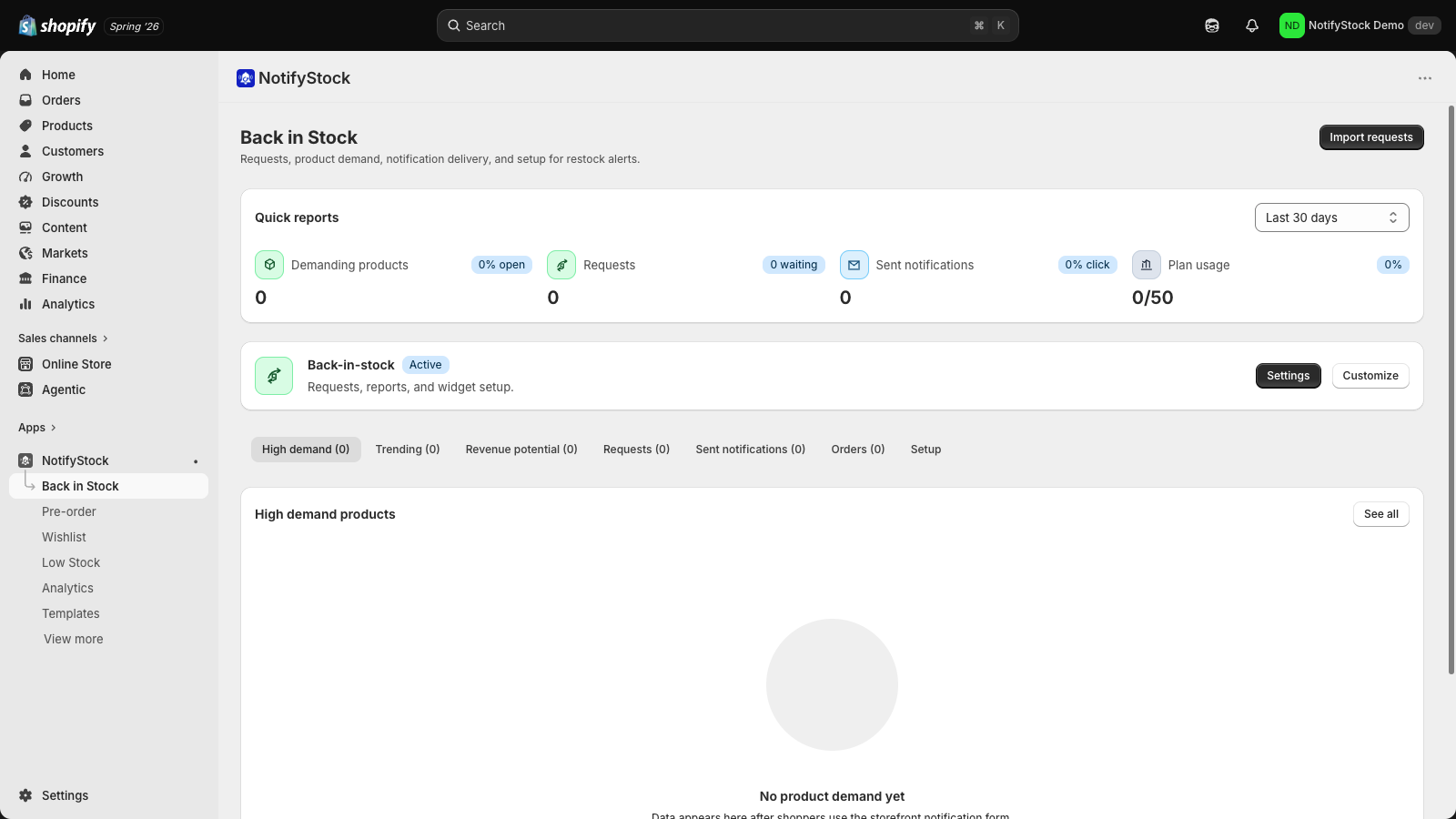
Admin tables help merchants review who is waiting, which products are trending, what was notified, and where orders can be attributed after restock.
Templates and provider-ready channels help merchants test confirmation and availability messages before relying on automated customer follow-up.
The Back in Stock workflow now reads like a demand recovery path: trigger the sold-out action, capture the request, verify admin records, then review templates before sending restock follow-up.
A shopper lands on a sold-out variant and sees a clear notify action.
The form captures email plus optional SMS or push readiness with consent wording.
Admin records show product, variant, waiting state, and request history.
Templates and sent notifications give merchants a testable restock path.
Use a sold-out variant to confirm the button, modal, consent copy, and request record all line up.
Review templates and sent notification surfaces before relying on automated restock follow-up.
Short, review-safe answers for this feature.
NotifyStock is designed around a theme app extension and signed storefront endpoints, so merchants can set it up without editing theme code.
Yes. The app includes export workflows for subscriber and notification data.
Merchants can start with one workflow and add the others as catalog and notification needs grow.
Create clear coming-soon and preorder reservation flows with availability copy, offer rules, customer confirmations, and admin tracking.
Explore PreOrderLet shoppers save products for later while merchants track wishlist demand, saved products, and follow-up opportunities.
Explore WishlistDisplay low-stock messages when inventory gets low and help merchants act before popular products sell through.
Explore Low StockReview pricing, compare feature pages, or contact support if you need help with setup details.